

Instant Context
No search queries needed - comprehensive user information is always ready
Auto-Updated
Profiles update automatically as users interact with your system
Two-Tier Structure
Static facts + dynamic context for perfect personalization
Zero Setup
Just ingest content normally - profiles build themselves
Why Profiles?
Traditional memory systems rely entirely on search, which has fundamental limitations:| Problem | With Search Only | With Profiles |
|---|---|---|
| Context retrieval | 3-5 search queries | 1 profile call |
| Response time | 200-500ms | 50-100ms |
| Consistency | Varies by search quality | Always comprehensive |
| Basic user info | Requires specific queries | Always available |
Static vs Dynamic
Profiles intelligently separate two types of information: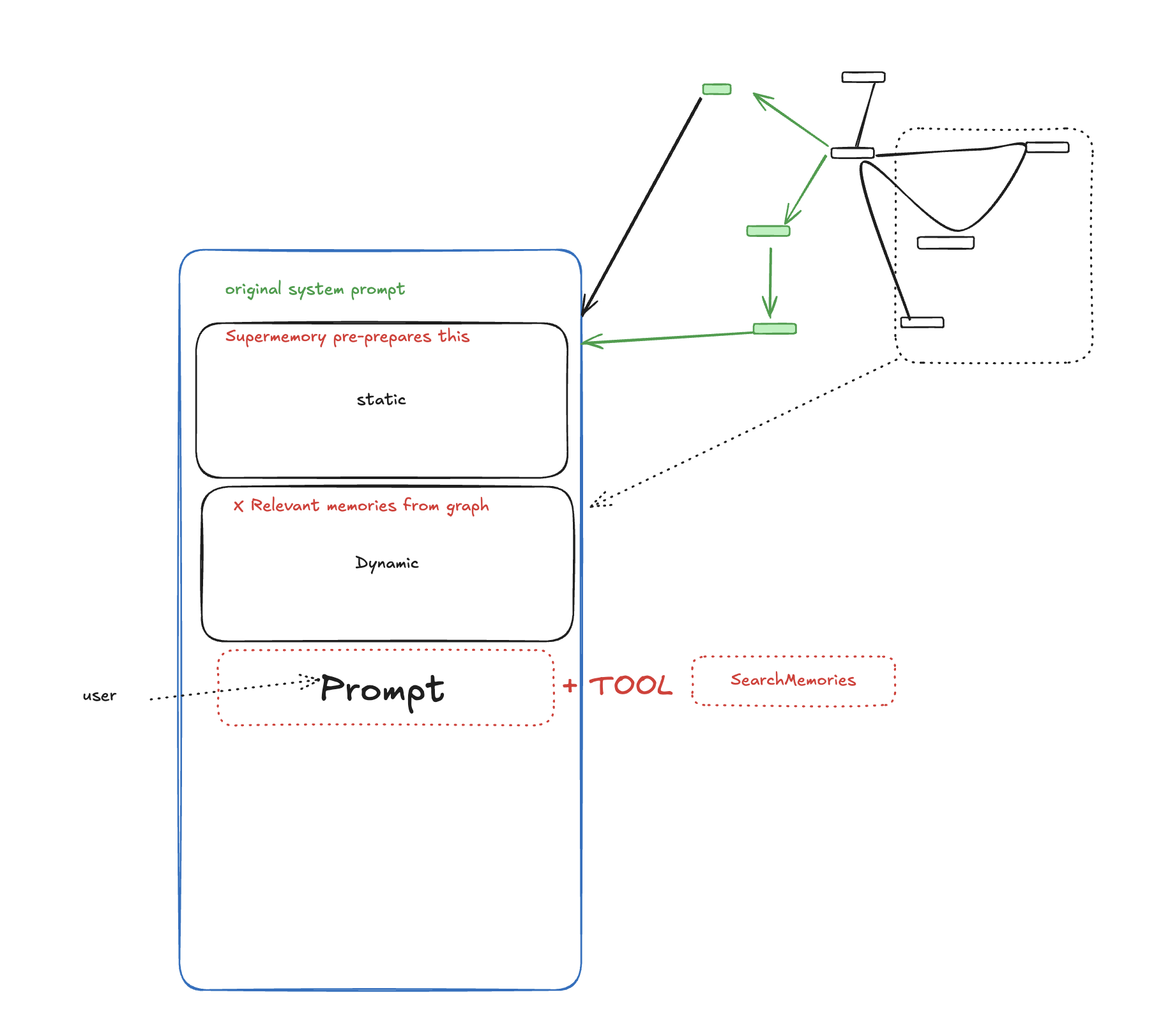
Static Profile
Long-term, stable facts that rarely change:- “Sarah Chen is a senior software engineer at TechCorp”
- “Sarah specializes in distributed systems and Kubernetes”
- “Sarah has a PhD in Computer Science from MIT”
- “Sarah prefers technical documentation over video tutorials”
Dynamic Profile
Recent context and temporary states:- “Sarah is currently migrating the payment service to microservices”
- “Sarah recently started learning Rust for a side project”
- “Sarah is preparing for a conference talk next month”
- “Sarah is debugging a memory leak in the authentication service”
How It Works
Profiles are automatically built and maintained through Supermemory’s ingestion pipeline:1
Content Ingestion
When users add documents, chat, or any content to Supermemory, it goes through the standard ingestion workflow.
2
Intelligence Extraction
AI analyzes the content to extract not just memories, but also facts about the user themselves.
3
Profile Operations
The system generates profile operations (add, update, or remove facts) based on the new information.
4
Automatic Updates
Profiles are updated in real-time, ensuring they always reflect the latest information.
You don’t need to manually manage profiles - they build themselves as users interact with your system.
Profiles + Search
Profiles don’t replace search - they complement it:1
Profile provides foundation
The user’s profile gives your LLM comprehensive background context about who they are, what they know, and what they’re working on.
2
Search adds specificity
When you need specific information (like “error in deployment yesterday”), search finds those exact memories.
3
Combined for perfect context
Your LLM gets both the broad understanding from profiles AND the specific details from search.
Example
User asks: “Can you help me debug this?” Without profiles: The LLM has no context about the user’s expertise level, current projects, or debugging preferences. With profiles: The LLM knows:- The user is a senior engineer (adjust technical level)
- They’re working on a payment service migration (likely context)
- They prefer command-line tools over GUIs (tool suggestions)
- They recently had issues with memory leaks (possible connection)