

How does it work? (at a glance)
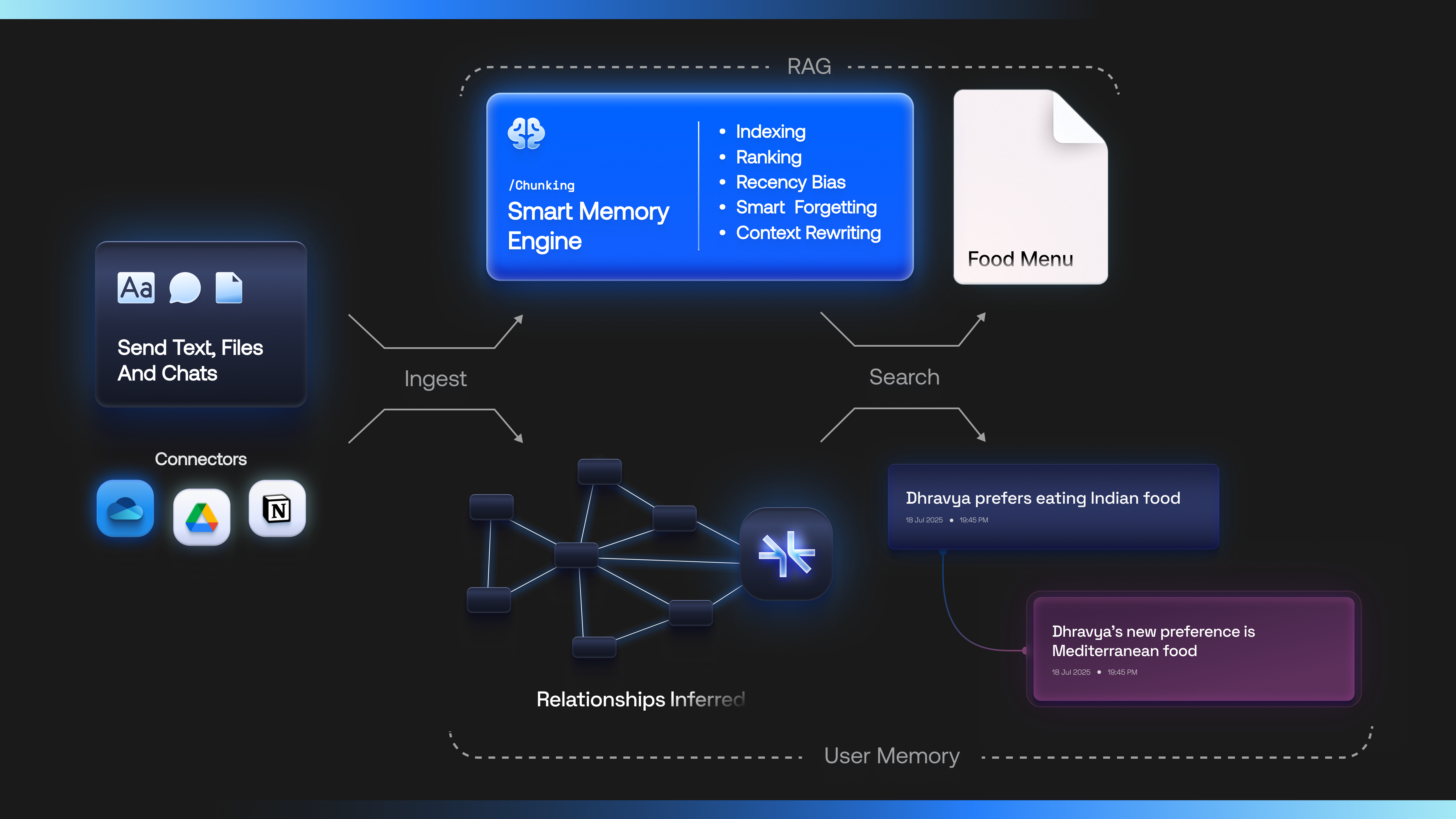
- You send Supermemory text, files, and chats.
- Supermemory intelligently indexes them and builds a semantic understanding graph on top of an entity (e.g., a user, a document, a project, an organization).
- At query time, we fetch only the most relevant context and pass it to your models.
Supermemory is context engineering.
Ingestion and Extraction
Supermemory handles all the extraction, for any data type that you have.- Text
- Conversations
- Files (PDF, Images, Docs)
- Even videos!
Memory API — Learned user context

- Evolve on top of existing context about the user, in real time
- Handle knowledge updates, temporal changes, forgetfulness
- Creates a user profile as the default context provider for the LLM.
User profiles
Having the latest, evolving context about the user allows us to also create a User Profile. This is a combination of static and dynamic facts about the user, that the agent should always know Developers can configure supermemory with what static and dynamic contents are, depending on their use case.- Static: Information that the agent should always know.
- Dynamic: Episodic information, about last few conversations etc.
RAG - Advanced semantic search
Along with the user context, developers can also choose to do a search on the raw context. We provide full RAG-as-a-service, along with- Full advanced metadata filtering
- Contextual chunking
- Works well with the memory engine
See the full API Reference tab for detailed endpoint documentation.
All three approaches share the same context pool when using the same user ID (
containerTag). You can mix and match based on your needs.Next steps
Quickstart
Make your first API call in minutes
How it Works
Understand the knowledge graph architecture
Self-host it
Run Supermemory on your own machine — one binary, zero config, fully offline